
How to Choose the Best Visual Art Graphics for Your Brand?

Choosing the right Visual Art Graphic is not simply a matter of selecting attractive colors or fashionable illustrations. It is a brand decision that shapes recognition, trust, and customer experience across websites, packaging, social media, and presentations. A strong graphic should reflect your audience, industry, message, and real business objectives. Beauty alone is insufficient.

Industry evidence supports this approach. Marq’s 2021 Brand Consistency Report found that consistent brand presentation can increase revenue by up to 23%. This finding highlights the value of repeatable visual rules, including typography, color systems, image style, and spacing. HubSpot’s State of Marketing 2024 also reported that short-form video remained a leading investment area for marketers. This trend creates more demand for adaptable graphics that work in motion, mobile feeds, and small screen formats. Wyzowl’s State of Video Marketing 2024 reported that 91% of businesses use video, while 88% of marketers considered it valuable for their strategy. Visual assets now need flexibility.

Details matter. A well-chosen graphic should remain clear at thumbnail size, preserve contrast in bright environments, and support accessibility requirements. It should also perform consistently across different cultures and platforms. However, these reports cannot guarantee success for every brand. They describe broad market behavior, not your specific customers. That limitation deserves attention. Test several Visual Art Graphic directions with real users, review performance data, and question personal preferences before final approval. The best choice balances originality, clarity, usability, and long-term brand consistency.
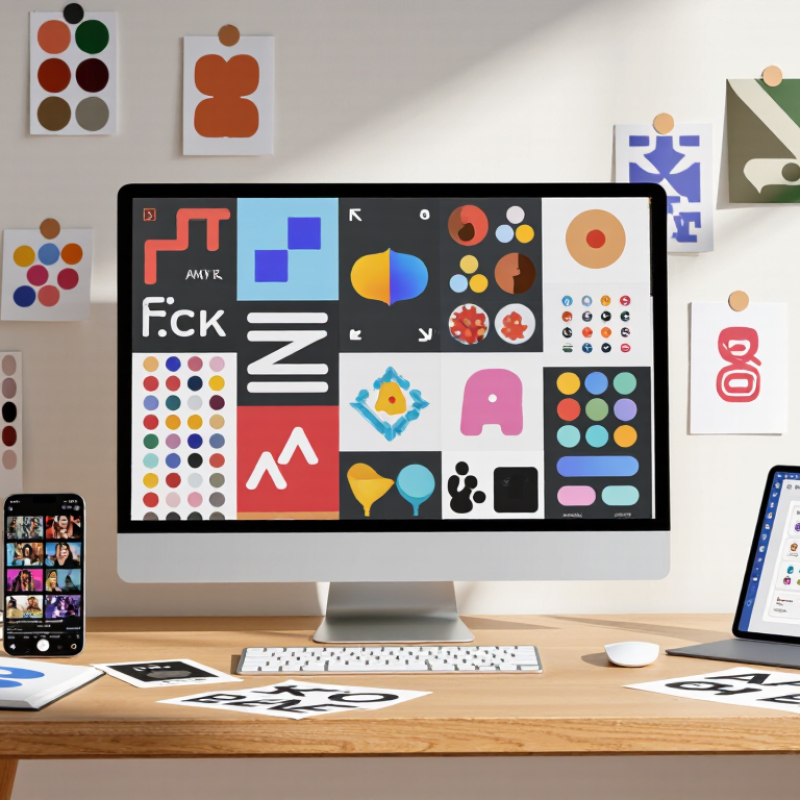
How to Choose the Best Visual Art Graphics for Your Brand?

Define Your Brand’s Visual Identity and Communication Goals

How to Choose the Best Visual Art Graphics for Your Brand?

Define Your Brand’s Visual Identity and Communication Goals

Before choosing graphics, define what your brand must communicate. Is it calm, precise, energetic, or human? Write three practical adjectives, then test them against your audience, products, and communication channels. A visual style should guide decisions, not merely decorate them.

Marq’s 2021 Brand Consistency Report found that consistent branding can increase revenue by up to 33%. This supports a simple principle: repeated visual cues build recognition. Choose a controlled palette, readable typography, and image styles that can work across websites, presentations, packaging, and social content. Keep accessibility in view. Strong contrast and clear layouts help people understand information faster.

Wyzowl’s 2024 State of Video Marketing reported that 91% of businesses use video. Static graphics still matter, but your identity must also survive motion, cropping, and small screens. Create a visual system with flexible rules. For example, define how icons align, how much empty space images need, and which colors signal action.

Our first mood board looked polished but felt vague. That was useful. A beautiful graphic can still communicate nothing. Ask five viewers what they notice first, then compare their answers with your intended message. The result may be uncomfortable. Adjust the system, not just one image. Keep records of these tests, because reliable design decisions should come from evidence, experience, and repeated observation.

Assess Graphic Styles, Formats, and Functional Requirements

When selecting visual art graphics, start by matching the style to your brand’s character and audience. A hand-drawn texture can feel personal, while geometric shapes suggest order and precision. Minimal artwork leaves space for clear messaging. Detailed illustration creates stronger visual focus. The choice should support communication, not merely decorate a layout.

Assess each format against its intended use. Vector artwork remains sharp on posters, websites, and large displays. Raster images can provide rich texture, but low resolution may create blurred edges. Ask for suitable file types, transparent backgrounds, editable layers, and consistent color profiles. Check how the graphic appears on a phone screen, printed page, and presentation slide. Test it in context. Small details often disappear.

Functional requirements deserve equal attention. Confirm licensing terms, accessibility needs, delivery deadlines, and whether the artwork can be adapted later. Strong contrast improves readability, especially for users with limited vision. Avoid relying on color alone to communicate meaning. In my own design reviews, I have approved attractive graphics that failed at small sizes. That mistake taught me to inspect real applications before final selection. A practical review should include dimensions, file weight, loading speed, and cropping behavior. Some choices still involve judgment, and visual preference can distort that judgment. A second reviewer helps.

Match Visual Art Graphics to Your Target Audience

Start with the people who will see your graphics, not with a style trend. Ask what they value, where they encounter your materials, and what feels familiar or confusing. Look closely. A community poster viewed across a busy street needs bold shapes and readable contrast. A detailed illustration on a small phone screen may lose its fine lines.

Audience research can be simple but specific. Review customer questions, observe how people use your website, or show several visual directions to a small group. Ask what they notice first and what the images suggest. Do not assume age alone determines taste. A playful palette may appeal to some older buyers, while younger viewers may prefer restrained layouts. Context matters.

Match the imagery to your audience’s needs and expectations. Families comparing services may respond to clear, warm illustrations; technical buyers may prefer diagrams that explain a process. Check color contrast, text size, and cultural references with real viewers. I once favored a polished, minimal look that tested as cold. The feedback was useful, though our sample was small. Adjust one element at a time, then test again across screens and print sizes. A graphic can look excellent in a design file and still feel wrong in use.

How to Choose the Best Visual Art Graphics for Your Brand? — Match Visual Art Graphics to Your Target Audience

Target Audience Common Visual Preferences Suitable Graphic Direction Color and Contrast Composition and Detail Practical Design Consideration
Children and families Recognizable characters, playful shapes, and friendly imagery Illustrations, simple visual storytelling, and expressive icons Use lively colors while keeping text and key elements easy to distinguish Favor clear focal points and uncomplicated scenes Check that imagery is age-appropriate and that essential information is readable by adults and children
Teenagers and young adults Contemporary references, expressive styles, and visual variety Editorial illustration, collage, bold typography, or motion-inspired graphics High-contrast combinations can create energy; test color choices for legibility Use a strong focal point and avoid crowding small-screen layouts Validate concepts with people in the intended age group rather than relying on stereotypes
Busy professionals Efficient communication, clear hierarchy, and polished presentation Diagrams, restrained illustrations, and clean icon systems Maintain readable contrast between text, icons, and backgrounds Organize information into clearly separated sections with concise labels Prioritize scannability, consistent alignment, and legible type at typical viewing sizes
Older adults Clear, familiar imagery and information that is easy to read Simple illustrations, direct photography, and clearly labeled diagrams Use strong text-to-background contrast and do not rely on color alone to convey meaning Keep layouts uncluttered and give important elements adequate space Test text size and controls at actual display sizes; provide labels alongside visual cues
People seeking a premium experience Careful craftsmanship, material detail, and restrained presentation Art-directed photography, refined linework, or subtle texture A limited palette can support a composed look; preserve sufficient contrast Use deliberate spacing and a small number of prominent visual elements Ensure that decorative effects do not obscure product details or essential information
Environmentally minded consumers Specific, credible depictions of materials, nature, or responsible practices Documentary photography, natural textures, and straightforward infographics Earth-inspired colors may fit the subject, but they should not be used as a substitute for evidence Show relevant details clearly and avoid visual clutter that weakens the message Keep environmental claims accurate and support them with clear, verifiable information
International or multilingual audiences Images that remain understandable across language differences Clear pictograms, culturally reviewed photography, and adaptable illustrations Check contrast and verify that color meanings are appropriate in each market Allow space for translated copy, which may take more or less room than the original Review symbols, gestures, and imagery with local audiences before publication

Audience preferences vary by context. Treat these directions as starting points, then test visual concepts with representative viewers and check accessibility, cultural fit, and readability across devices.

Evaluate Quality, Consistency, Licensing, and Accessibility

A strong visual art graphic should hold up on a phone screen and on a printed page. Check for crisp edges, readable text, and colors that remain balanced at different sizes. Zoom in on fine details, then preview the artwork against your actual background. A graphic can look polished in a portfolio but feel muddy on a pale landing page. Test it.

Consistency matters when graphics appear across several touchpoints. Compare line weight, color temperature, spacing, and illustration style across your website, packaging, and social posts. Small differences can make a campaign feel assembled rather than intentional. Still, perfect uniformity can look stiff; a little variation may help the work feel human.

Review the license before using or adapting any artwork. Confirm permitted uses, attribution requirements, modification rights, and whether the license covers commercial materials. Keep a copy of the terms with the asset files. Accessibility deserves the same attention: use strong contrast, avoid relying on color alone, and provide meaningful alt text. Ask someone unfamiliar with the design to review it; their confusion can reveal what your team has stopped noticing.

How to Choose the Best Visual Art Graphics for Your Brand

Evaluate quality, consistency, licensing, and accessibility

How to use this chart: These are suggested decision weights, not results from an industry survey. Score each graphic against all four criteria, then apply the weights to compare options. Check image clarity and resolution, consistency with your visual style, permitted uses and attribution requirements, and accessibility features such as meaningful alt text and adequate contrast.

Test, Select, and Integrate Graphics Across Brand Channels

Choosing visual art graphics is less about personal taste than channel performance. A striking illustration may fail when reduced to a mobile banner. Begin with three to five graphic directions, such as geometric shapes, hand-drawn textures, or product-focused scenes. Keep the message constant while changing color, scale, and composition.

Test each option in realistic settings. Place the graphics on a homepage, email header, social post, presentation slide, and printed card. Check visibility on a small screen. Review contrast, cropping, loading speed, and text readability.

Ask several users what they notice within five seconds. Their answers often reveal problems internal teams miss. Measure useful actions, not only reactions. Track clicks, form completions, time on page, and feedback from customer support.

Select the graphics that remain clear across channels. Use a shared file system with approved sizes, color values, spacing rules, and accessibility notes. Designers and content teams should review every adaptation before publishing. A graphic can look polished on screen but feel crowded in print.

I once favored a detailed illustration because it received enthusiastic comments, yet its small-scale version became unreadable. That mistake changed my testing process.

Now, I compare full-size and thumbnail versions before approval. The strongest system may feel less exciting at first. It usually performs more reliably.